Processor and memory
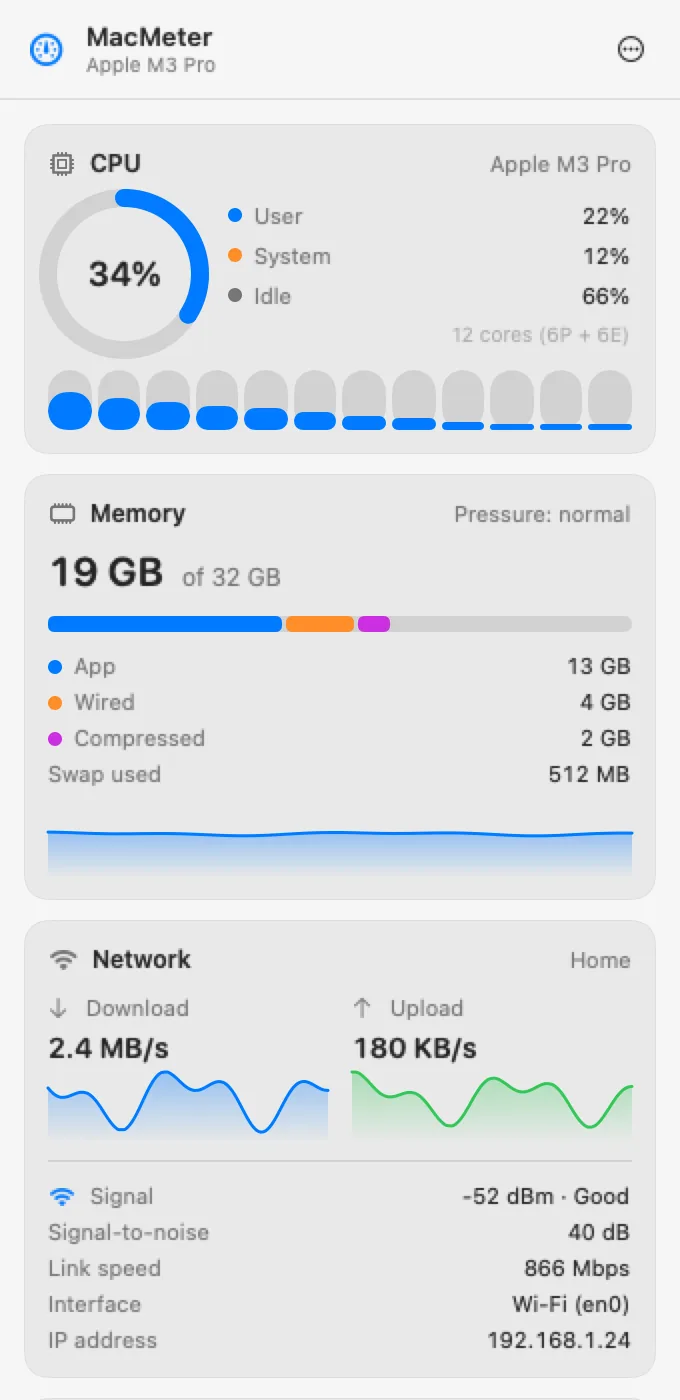
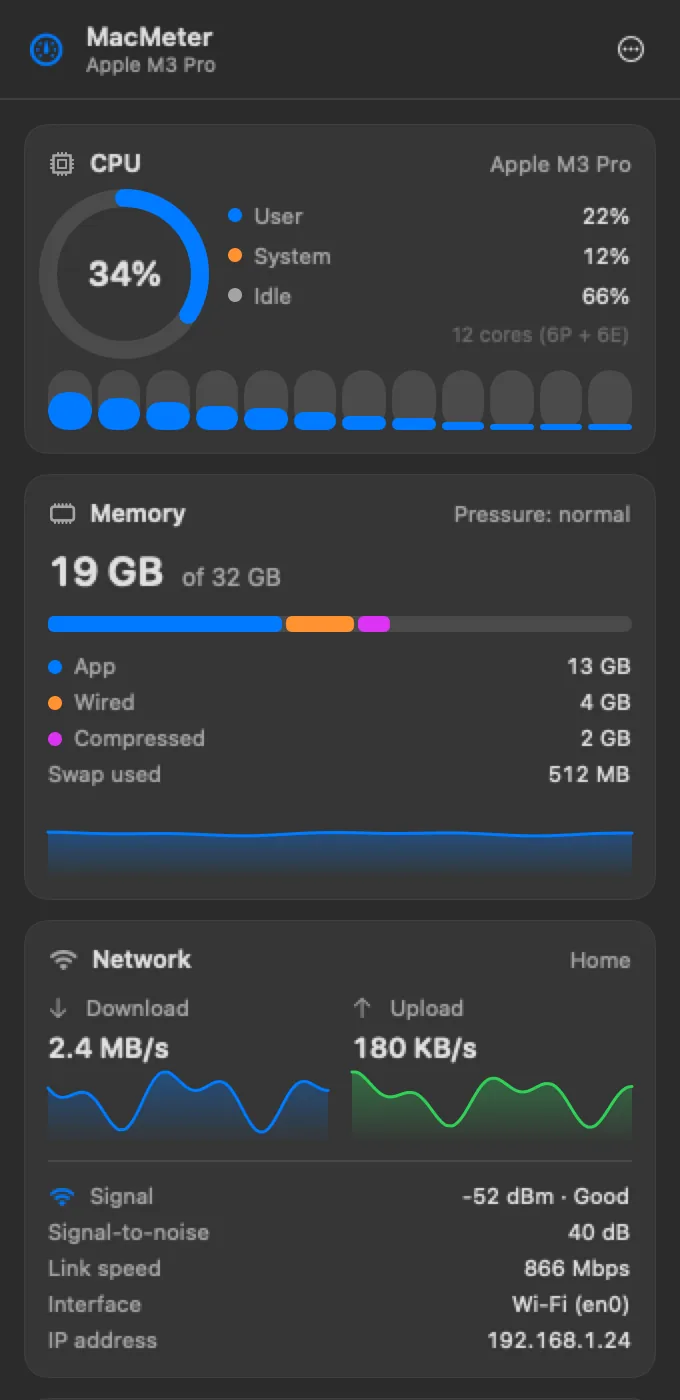
Per-core CPU usage and memory use, with the system's memory pressure.
Product — APDSoftware
CPU, memory, network, disk, GPU and Bluetooth accessory batteries at a glance, without opening another app.
Available — macmeter.appRequires macOS 14 or later on Apple Silicon Macs. The core features stay free after the trial.



Features
Everything your Mac knows about itself, in a popover and in the menu bar.
Per-core CPU usage and memory use, with the system's memory pressure.
Upload and download speed, and free space on the startup disk.
GPU load, CPU temperature, and power draw in watts for the CPU, GPU, Neural Engine and memory (sensors are Pro).
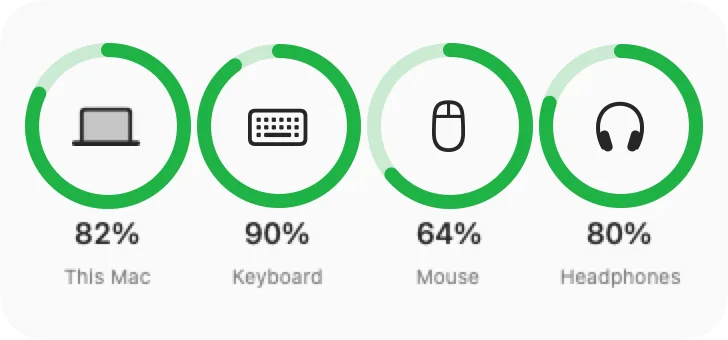
Charge level of your Mac and of the Bluetooth devices that report it: mouse, keyboard, headphones.
Choose which modules to show, in what order and in which style: single line, two lines, or mini graph (graph is Pro). Colors follow the thresholds you set.
Widgets for the desktop and Notification Center, and alerts when CPU, memory, disk, battery or temperature stay over a threshold (Pro).
Widgets
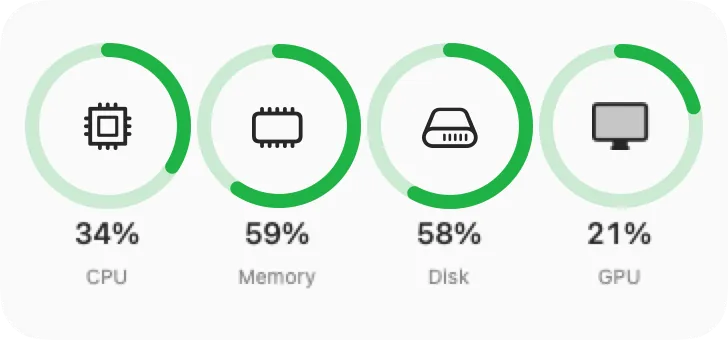
Two widgets in small, medium and large: one with rings for CPU, memory, disk and network, one with the battery of your Mac and your accessories.
Plans and pricing
All features are on during the trial. After it, CPU, memory, network and disk stay free. MacMeter Pro is €3.99, one-time, no subscription.
| Feature | Free (after the trial) | MacMeter Pro |
|---|---|---|
| CPU, memory, network, disk cards | Yes | Yes |
| GPU, battery, Bluetooth accessory cards | Yes | Yes |
| Menu bar modules | Up to 2 | All |
| “Single line” and “two lines” styles | Yes | Yes |
| Mini graph style | No | Yes |
| Sensors: temperature and power in watts | No | Yes |
| Widgets (System status and Devices) | No | Yes |
| Threshold alerts | No | Yes |
Download, purchase, terms and refunds on macmeter.app.
Requirements and privacy
Runs on macOS 14 Sonoma or later, on Macs with Apple Silicon.
MacMeter only reads data from your Mac. It sends nothing to external servers and needs no account.
It asks for Bluetooth permission only to read accessory batteries, for Location only because macOS requires it to show the Wi-Fi network name, and for notifications only if you turn alerts on.
The license key is pasted into the settings and verified on your Mac, even without a connection.
Frequently asked questions
Store apps can't read the sensors, power draw and other system data MacMeter shows. It's downloaded from this site and is signed and notarized by Apple.
macOS 14 Sonoma or later, on Macs with Apple Silicon.
CPU, memory, network, disk, GPU, battery and accessories stay free, with up to 2 menu bar modules. Sensors, widgets, alerts and the mini graph lock until you enter a license.
No. You paste the key into the settings and it's verified on your Mac.
Yes, on up to 5 personal Macs with the same license.
Only to read the charge of your mouse, keyboard and headphones. Without it the app works, but accessories don't appear. Location permission is only needed to show the Wi-Fi network name: macOS requires it, MacMeter never uses your location.
Only connected devices that report a battery level appear. A wall-powered speaker, for example, has none.
For support write to [email protected]. You can ask for a refund within 14 days of purchase; terms and privacy are on macmeter.app.